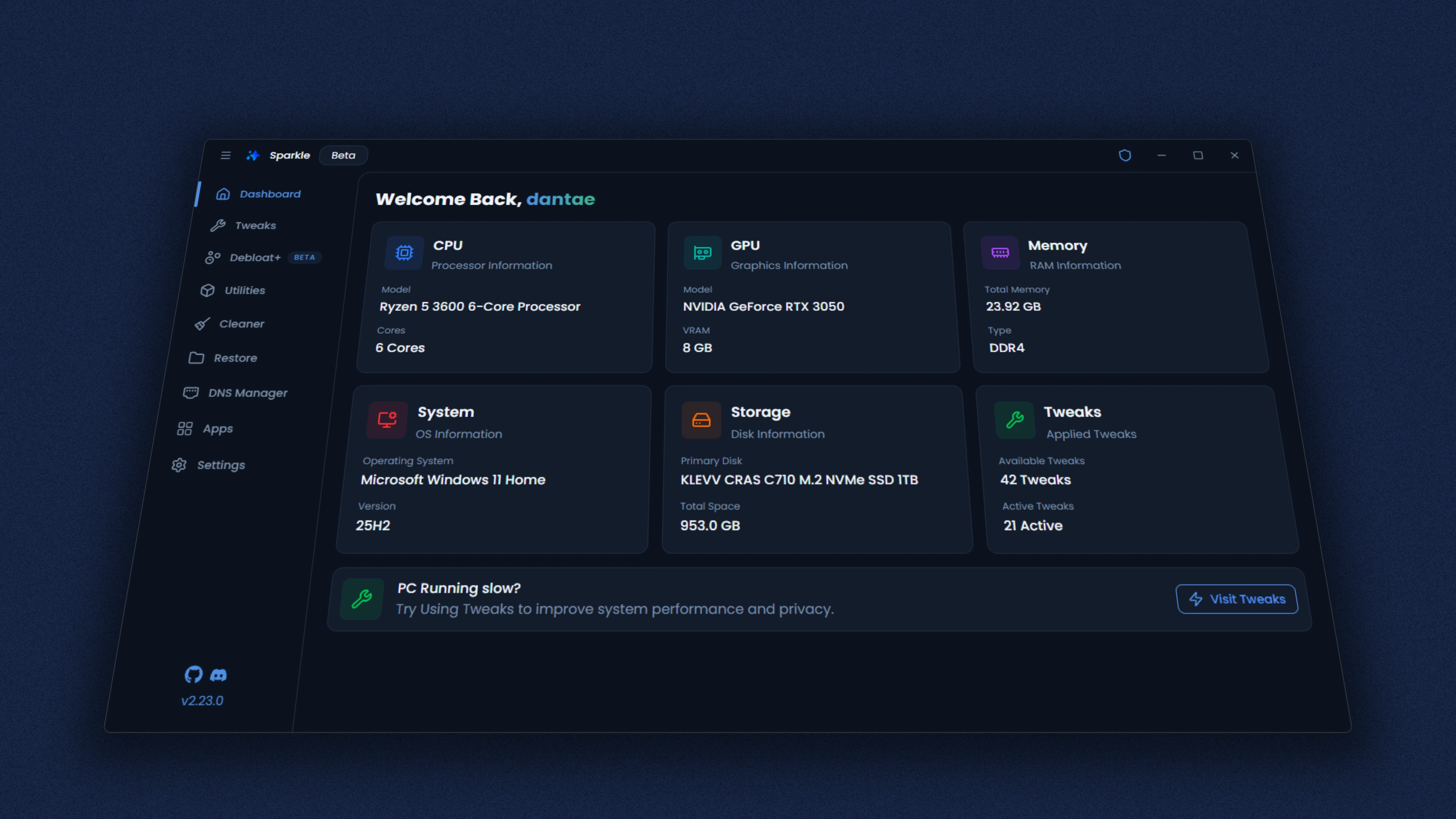
Sparkle Debloat Tool - A year later
A look back on Sparkle a year later.

Thedogecraft
•
Sparkle Debloat Tool - A year later
It's been a little over a year since I released Sparkle - a simple debloat tool for Windows. And a lot has changed since then.
Since then Sparkle has hit 839,790k Downloads (at the time of writing this) This is truly insane and I would have never expected this. Thank you all so much ❤️.
Sparkle has also been featured in countless Youtube Videos 1, 2, 3 and Articles
I created Sparkle due to the horrible state of default Windows installs and they haven't gotten any better but Sparkle has.
The latest version at the time of writing this is 2.23.0 and here are some of the biggest features added since 2.0.0:
- Debloat+ enhanced debloater
- Chocolatey support + package manager selection
- Tweak presets & risk levels
- Utilities page (Disk Cleaner, Toggle Fast Startup, etc.)
- DNS Manager page (change DNS server & find the one with the lowest ping)
- Restore point manager + tweak reversal page
- App import/export + app install terminal
- Auto-updater
- Detailed Docs, CI, tests
Debloat+
A feature I want to talk about is Debloat+. The original debloat script only worked off a list of known bloat that comes with Windows. Debloat+ changes that. Instead of picking from a list, it scans what's actually installed on your system.
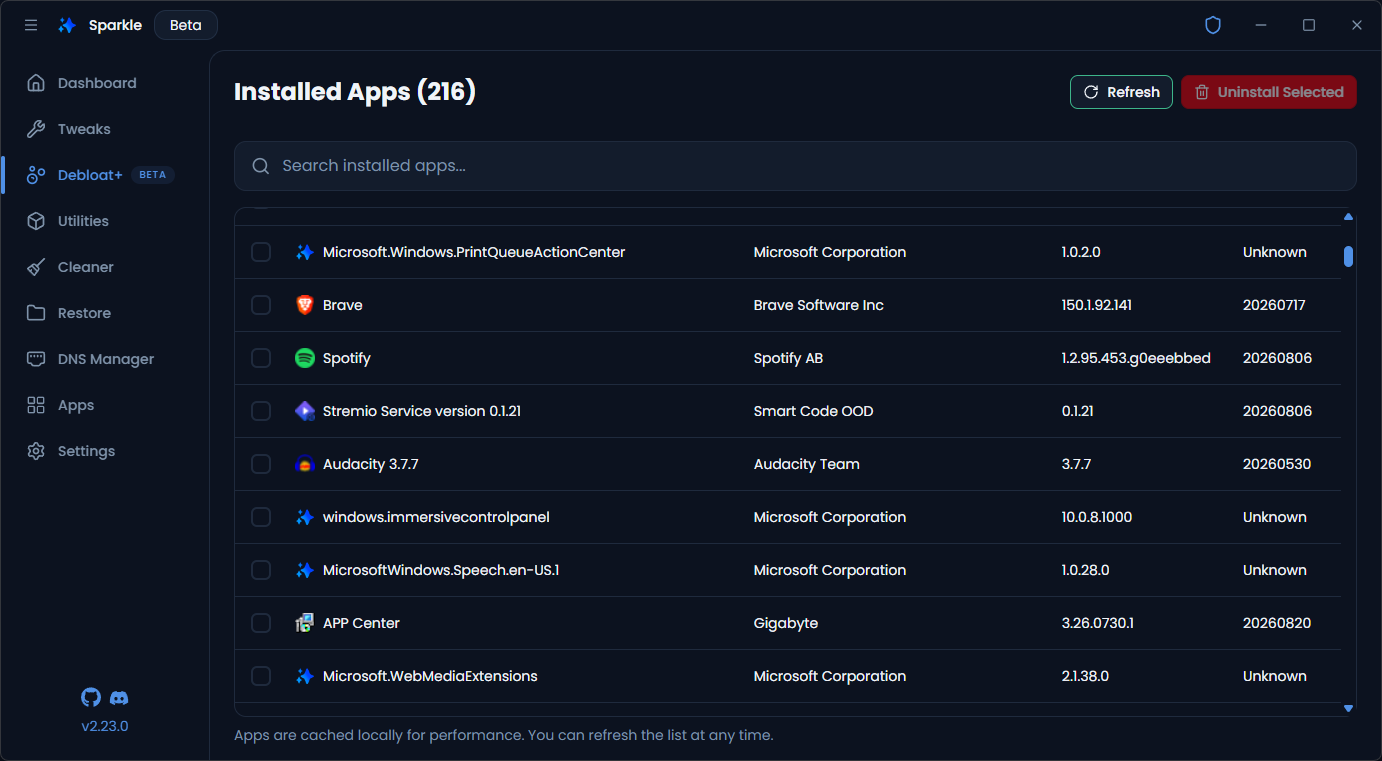
You can select however many apps you want, hit uninstall, and Sparkle removes them in a single batch using quiet uninstall strings so you don't get dragged through ten different uninstallers. For Microsoft Store apps it uses Remove-AppxPackage.
It also hides framework packages like .NET and the Microsoft Store so you can't accidentally break your start menu. Although at the time of writing this a lot of system packages do still appear in the list so be careful of what you uninstall.
It's still marked as a beta feature inside the app since not every app plays nice with the installer.
Don't worry. The old debloat script is not going anywhere and this is not going to replace it. The old debloat script can be run without Sparkle since it's pure PowerShell. This script requires Sparkle to be installed.
DNS Manager
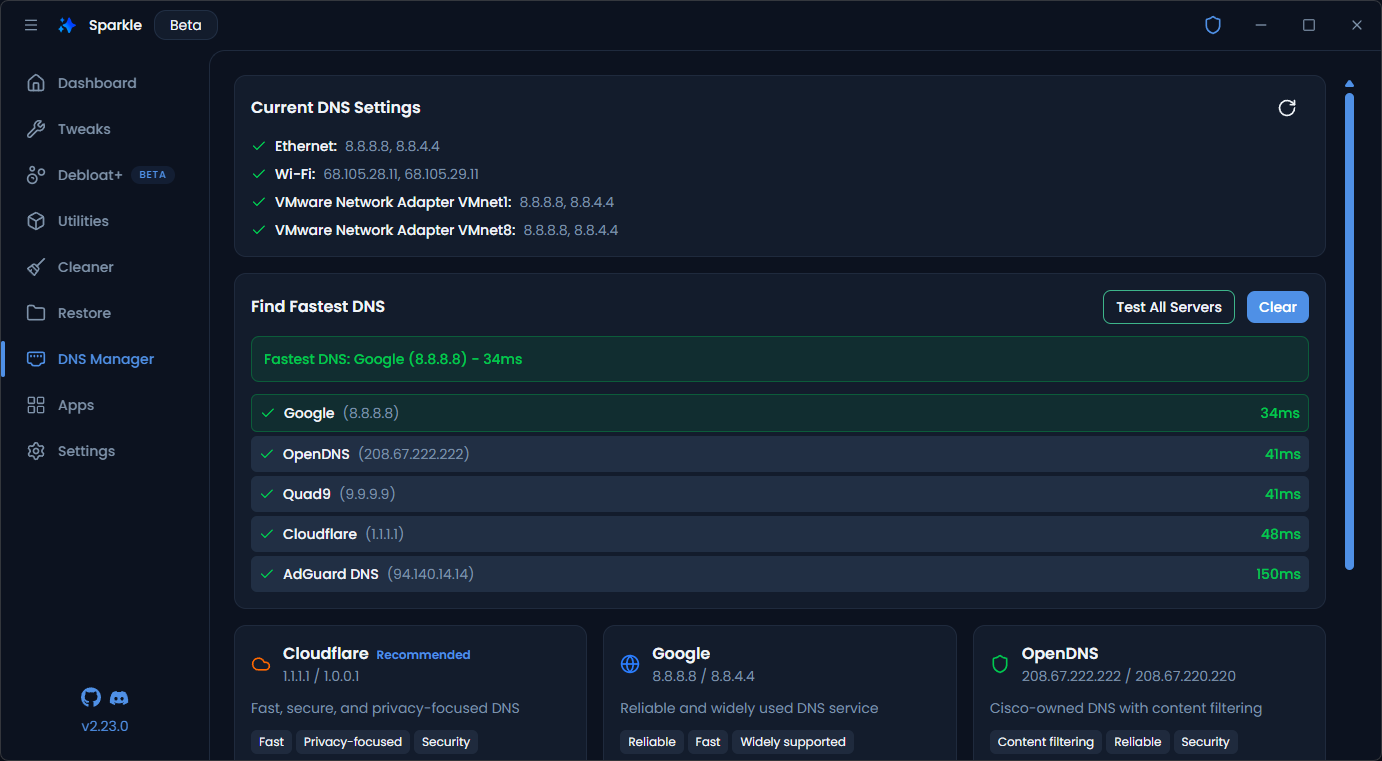
This is a simple one, with a simple to use UI to apply DNS from Cloudflare, Google, OpenDNS and more.
You can test the ping of all of the included DNS providers to find which one has the lowest latency.
And that's all that I think is worth showcasing. Yes there are a lot more features and also a ton of bugs that got fixed during that time, including porting the entire codebase from JavaScript to TypeScript.
If you would like to download Sparkle, you can do so on the official Website or GitHub.
Thank you to all 800k of you for downloading sparkle ❤️ - Dantae